Scratch · Age 6–11

Learn Scratch and take a first hands-on look at AI, built for young beginners

Live 1:1 block-based coding classes where kids build animations and games — then see how AI recognizes patterns, using the same drag-and-drop blocks.

1M+ students 135 countries 4.6/5 rating on Trustpilot
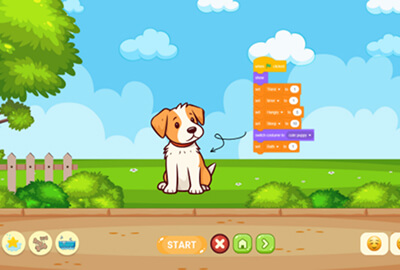
Scratch Programming with AI
Age 6–11Grade level
Online, 1:1Class format
STEM.org accreditedCertification
4 monthsTypical duration
80+ activities & projectsHands-on practice

What your child will learn

6Modules
38Lessons
38Quizzes
1. Getting Started with Scratch7 lessons
  • Meet the Scratch interface
  • Sprites & the stage
  • Moving a sprite with motion blocks
  • Controlling movement with arrow keys
  • Costumes & simple animation
  • Mini project: a sprite that dances
  • Module quiz
2. Looks, Sounds & Events7 lessons
  • Changing costumes & looks blocks
  • Adding sound effects
  • Speech & thought bubbles
  • Event blocks: green flag & key press
  • Broadcasting messages between sprites
  • Mini project: a talking character
  • Module quiz
3. Loops & Control6 lessons
  • Repeat and forever loops
  • Wait blocks & timing
  • If/else blocks
  • Combining conditions
  • Mini project: a bouncing ball animation
  • Module quiz
4. Variables & Data6 lessons
  • Creating and using variables
  • Keeping score
  • Simple math operators
  • Introduction to lists
  • Mini project: a click-counter game
  • Module quiz
5. Building Your First Game6 lessons
  • Sprite collision detection
  • Game-over logic
  • Multiple sprites interacting
  • Adding levels & difficulty
  • Capstone project: Catch the Falling Stars game
  • Module quiz
6. Intro to AI with Scratch6 lessons
  • What is AI? (a kid-friendly intro)
  • Exploring Scratch's AI extensions
  • Training a simple image recognizer
  • Making a project respond to what it “sees”
  • Capstone project: an AI-powered interactive game
  • Module quiz

What’s included

👨‍🏫
38 live 1:1 sessions45-minute private classes with an expert instructor, not a group class.
🏆
STEM-accredited certificateEarn a recognized certificate plus a Scratch creator badge.
🎥
Lifetime access to recordingsEvery session is recorded so your child can revisit any lesson.
📊
Monthly progress reportsSee exactly what your child has learned and what's next.
💬
Doubt-clearing sessionsOne-on-one time with the instructor whenever your child gets stuck.
🧩
80+ activities & projectsReal, hands-on animations and games your child can show off when they're done.

By the end of this course

✓Master Scratch's block-based programming fundamentals
✓Build interactive animations, stories, and games from scratch
✓Develop computational thinking, logic, and creativity
✓Get a first hands-on look at how AI recognizes patterns
✓Ship real projects: an animation, a finished game, and an AI-powered creation
Try a free lesson

What families say

★★★★★

“My daughter went from never having coded to building her own quiz game in a few months. The 1:1 pacing made all the difference.”

Parent of a Grade 7 studentmyeKids parent
★★★★★

“The Pygame project was the highlight — my son was so proud to show off the game he built himself.”

Parent of a Grade 9 studentmyeKids parent

FAQ

What is Scratch, and why is it good for beginners?

Scratch is a drag-and-drop, block-based programming language built for kids — there's no typing required, so your child can focus on learning real programming logic (loops, conditions, events) without fighting syntax.

Does my child need to already know how to type or read well?

No. Scratch is built around colorful blocks that snap together, which makes it approachable even for kids who are still building their reading and typing skills.

What age is this course best for?

Ages 6–11 — it's usually a child's very first coding course, and a common stepping stone before moving on to text-based languages like Python.

What's the “AI” part of this course?

In the final module, kids use Scratch's AI extensions to train a simple recognizer (for example, telling images or gestures apart) and connect it to their own project — a gentle, visual first introduction to how machine learning actually works.

Does my child need to install anything?

No — Scratch runs entirely in the browser. Nothing to download or set up before class.

What will my child build by the end of the course?

A finished animation, a real playable game (Catch the Falling Stars), and an AI-powered interactive project — three real things to show off, not just exercises.

Is this good preparation for learning Python later?

Yes — the logic your child practices here (loops, conditionals, variables, events) is exactly what carries over when they're ready to move to text-based languages like our Python Champion course.

Can my child keep working on projects between classes?

Yes — Scratch projects save to their account, so they can keep building, experimenting, and showing off their work anytime.

Ready to start Scratch Programming with AI?

Try a free lesson
coding course for kids